Classla for Math
One place to run a math class, from warm-up to test: answers graded the way you read them, each student's own numbers, and handwritten work you grade by checking off your rubric.
Built for Answers That Are Math
Math answers, graphs and number blanks grade on the server, and what Check Answer tells a student always matches the real grade.
Answers Graded the Way You Read Them
Students type on a math keyboard, with fractions, exponents and roots where they expect them, not LaTeX. A Math answer takes an expression, a number, an equation or inequality, an interval, a point, or a list. 2(x + 1) is 2x + 2 unless you set the form: Simplified, Factored, Expanded or Exact.
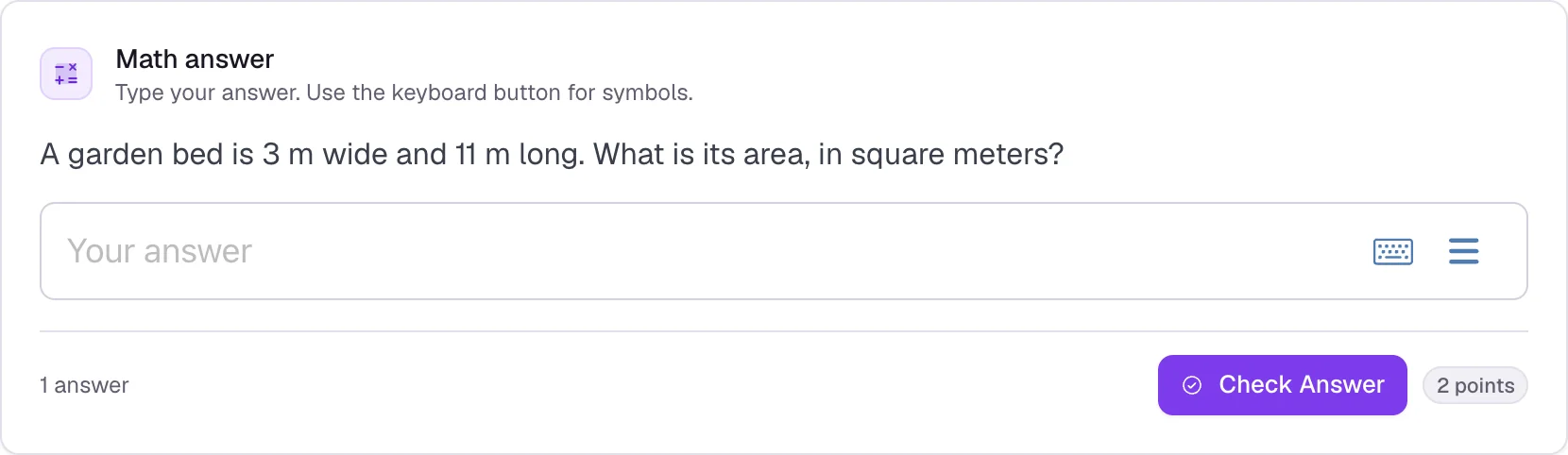
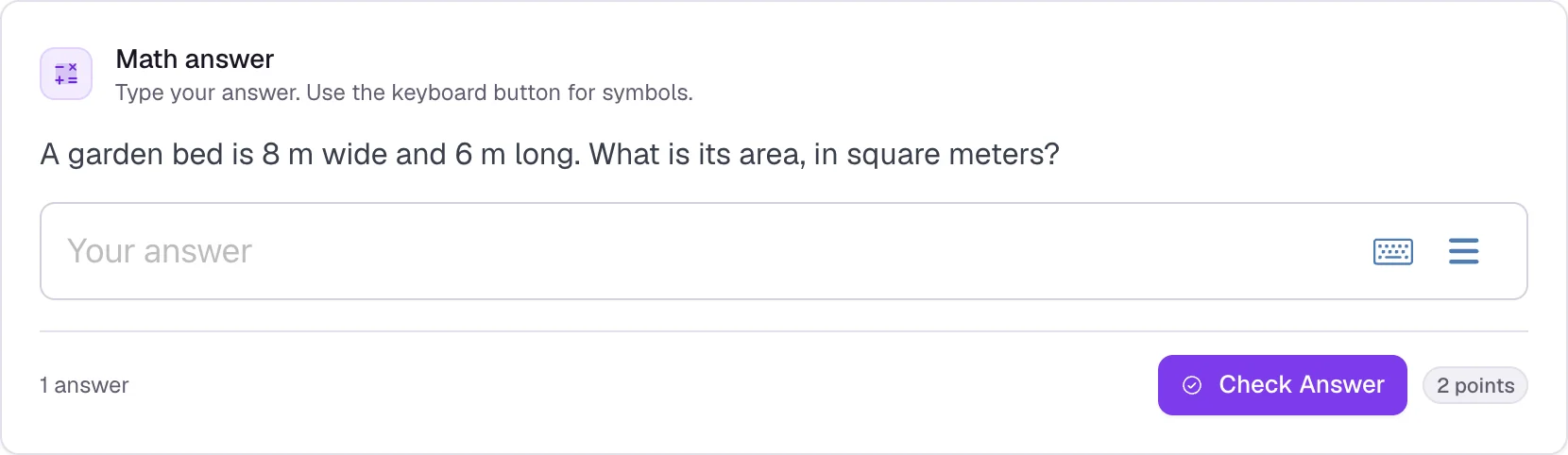
Give a question's variables random numbers and each student gets their own values. A regrade uses the same ones, and a practice retake rolls new ones, so a shared answer is wrong for the next student.
Maya sees
Diego sees
Handwritten Work, Graded by Your Rubric
Students type the final answer, which is graded on submit, and upload a photo or a PDF of their work for that question. A student who did several problems on one sheet crops the photo to this one.
You write the rubric items for the work, each with its points, on top of the answer's points. In the grader the work shows at full width under the question with its checklist, and checking an item saves the score. The grader keeps your place from one student to the next, so one question's work goes quickly across the whole class. A Show Your Work block, for a question answered only on paper, is graded the same way.
No AI grades handwritten work. You do, one checkbox at a time.
Graphs and Proofs
A Graph block asks students to plot points, draw a line, a parabola or a circle, or shade the region an inequality describes, and grades what they drew.
Switch a Parsons problem to Two-column proof: statements on the left, reasons on the right, in an order the student has to earn. Fill-in-the-blank matches by Number or Math too, so a blank that wants one half accepts 0.5 and 1/2.
The Calculator, When You Want It
Give an assignment a graphing or scientific calculator, or set it to None for the no-calculator section. Pair it with lockdown for an in-class test. Students can also keep one in their Workspace, outside any assignment.
AP Calculus Review Sets
Review sets for AP Calculus AB and BC, written by Classla against the topic list and numbered the way the course is. Add one set to a unit, play it as a live game, or copy two questions into your own quiz. They are not College Board questions.
A Record, Not a Guess
Classla does not guess who used a photo solver at home. It keeps the process, so the conversation you have with a student starts from what happened.
Nothing is penalized automatically, and students never see the analytics. How math works in Classla.
Lockdown for In-Class Tests
The test stays full screen from Start to Submit, and you see who left it and for how long.
Their Own Numbers
A randomized question gives each student different values, so a shared answer is wrong for the next student.
Time on Every Question
A four-step problem answered in six seconds is visible in analytics, beside the rest of the class.
The Work, Not Just the Answer
Handwritten steps come in as a photo or a PDF beside the answer, and you grade them against your rubric.
The Rest of Classla, in the Same Course
Every block and every feature is in every course, whatever you teach.
- MakeLessons, quizzes, tests, PDF and video assignments, flashcards
- TeachLive games, attendance, partner work, lockdown tests
- GradeAuto-grading, rubrics, weighted categories, the gradebook
- UnderstandWho needs attention, the question they missed, integrity
- AIAn assistant that has read your class and drafts the next step
Start with Your Next Assignment
You can explore all of Classla. To run a real class, use the AI assistant, or start from the official curriculum, email camden@classla.org and we will get you set up.
If you need a price for a department or a school, ask and you will get a written quote.
Free to explore. Classes open once we verify you teach, usually the same day.
Or email Camden directly at camden@classla.org.