What digital curriculum should look like.
Know where every student is, reteach what they missed the same week, and get your evenings back.
- Lessons
- Quizzes
- PDFs
- Videos
- Flashcards
- Live games
- Math
- Code
Free to explore. Classes open once we verify you teach, usually the same day.
Or look around first: See the demo class with no account.
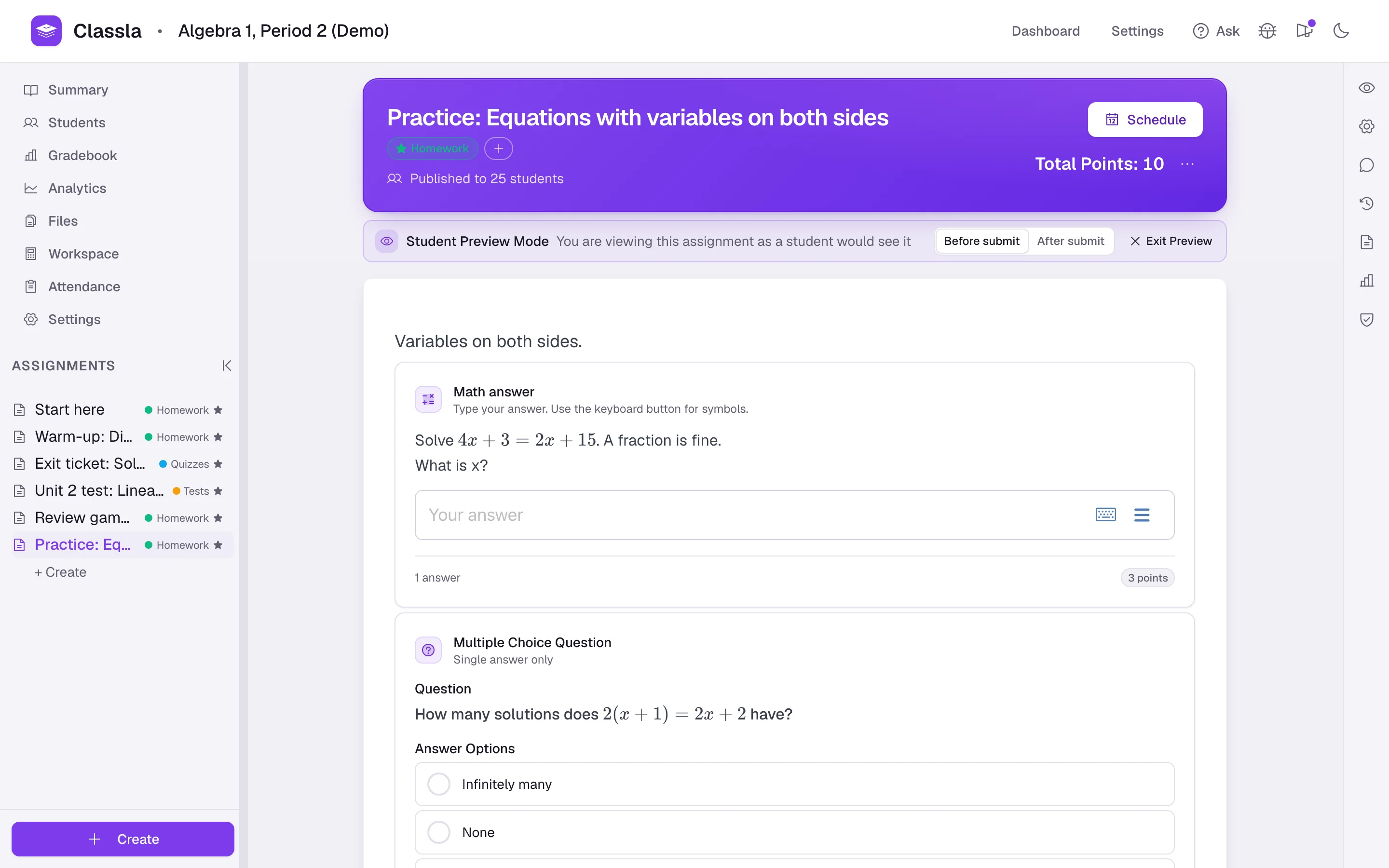
Your Whole Classroom, in One Course
What you make, how you teach it, how it is graded, what it tells you, and an assistant across all of it.
1Make
A Whole Course to Start From
- Lessons, homework, quizzes and tests built from blocks: multiple choice, fill-in-the-blank, matching, polls, math answers, code
- PDF assignments: questions placed right on the pages of the handout you already use
- Video assignments: the video stops at each question, so watching is work, not waiting
2Teach
Every Student Doing the Thinking
- Play a quiz or a flashcard set live, in teams, and hold the answer until the class has argued it out
- Attendance from a code on the board, with present and tardy windows and an export
- Partner work: groups share one set of answers, code included
See everything for running classSped up 1.25×3Grade
Feedback Now, Grading Done
- Multiple choice, fill-in-the-blank, math answers and code grade themselves when a student submits
- With Check Answer on, students see what was wrong while they are still on the problem
- Rubrics, overrides that survive a regrade, and weighted homework, quiz and test categories
4Understand
See Who's Stuck, and on What
- Who needs attention this week, like the student gone quiet in week three, not at report cards
- The question the class missed and the wrong answer most of them chose
- How long the work takes, and time on each question
5AI
Reteach It the Same Week
- Drafts lessons, quizzes and rubrics into your editor, unpublished
- Reads your analytics and builds the review from what the class missed
- Reads a student's code against your tests and tells you why it failed
See everything the AI doesSped up 6×
How Computer Science and Math Teachers Use It
Every block is in every course, whatever you teach. These pages show how two kinds of class put them together.
Computer Science
- A real IDE in every browser: Python, Java, C#, JavaScript, C and C++
- Autograders you write once, and the paste trail and similarity as evidence
- A full AP CSA course and review sets that you can rewrite
Math
- Answers on a math keyboard, graded for equivalence, form and units
- Each student's own numbers, graphs they draw, two-column proofs
- Handwritten work beside each answer, graded by your rubric
Built by One Person, with the Teachers Using It
I build Classla. I talk with the teachers using it every week, and I ship most weeks. If there is a language you need, a block type that would make a lesson work, or a grading step you would do differently, ask. It usually ships within days.
My email is camden@classla.org. It reaches me, not a queue.
Camden Spehl, founder
Start with Your Next Assignment
You can explore all of Classla. To run a real class, use the AI assistant, or start from the official curriculum, email camden@classla.org and we will get you set up.
If you need a price for a department or a school, ask and you will get a written quote.
Free to explore. Classes open once we verify you teach, usually the same day.
Or email Camden directly at camden@classla.org.